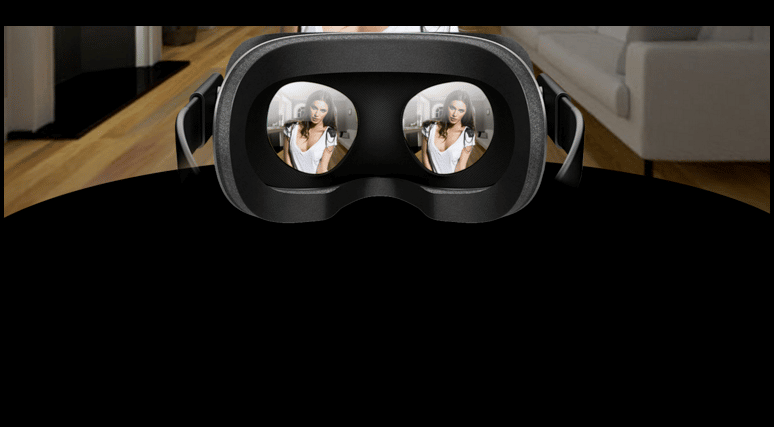
What Is Virtual Reality
What Is Virtual Reality (VR)? How It Works, Types and Real-World Examples
Virtual reality (VR) is technology that creates the feeling of being inside a digital or recorded environment rather than simply watching it on a screen. Put on a compatible headset, turn your head and the view moves with you. Look up and you might see a virtual sky. Look down and you could be standing in a room that doesn't physically exist.
VR isn't limited to computer-generated worlds. Specially recorded 180-degree and 360-degree videos can create immersive viewing experiences, while interactive applications allow you to explore environments, move around and manipulate virtual objects.
Today, virtual reality is used for gaming, education, professional training, fitness, healthcare, design and entertainment. Some experiences require a powerful computer, but modern standalone headsets can operate independently.
This guide explains how VR works, the differences between headsets and video formats, how virtual reality compares with augmented reality, and what you should know before trying it.
What Does Virtual Reality Actually Mean?
Virtual reality is an immersive experience in which technology presents a simulated or recorded environment that responds to the viewer's movements.
In a conventional computer game, you look at the action through a monitor. In VR, a headset fills much of your field of view, and tracking sensors update the image as you turn or move your head.
Instead of looking through a rectangular window into a digital world, you feel as though you're standing inside it.
Researchers often describe this sensation as presence: the subjective feeling of being physically located within the environment you're experiencing.
Several factors influence that feeling:
- How accurately the headset tracks your movements
- The clarity and resolution of its displays
- Whether objects appear to have realistic depth
- How quickly the image responds when you move
- Whether sounds appear to come from appropriate directions
- How naturally you can interact with virtual objects
Not every VR experience creates the same degree of presence. Watching an immersive video is different from exploring a fully interactive virtual world, even though both may use the same headset.
How Does Virtual Reality Work?
Most modern VR systems combine displays, optical lenses, movement tracking, processing hardware and specialised software.
These components work together to create a stable environment that appears to surround the viewer.
1. Stereoscopic Displays Create Depth
Human eyes see the world from slightly different positions. Your brain combines these two viewpoints to help judge distance and depth.
VR headsets can recreate this effect by displaying a slightly different image to each eye. This is known as stereoscopic rendering.
For example, a virtual object positioned close to you may appear in slightly different locations in the left-eye and right-eye images. Your brain interprets that difference as depth.
However, not every video displayed inside a VR headset is stereoscopic. Ordinary flat video can also appear on a virtual cinema screen without providing genuine three-dimensional depth.
2. Lenses Make Nearby Displays Comfortable to View
VR headset displays sit very close to your eyes. Specialised lenses help your eyes focus on the images and create a wider apparent field of view.
Different headsets use different optical designs, which can affect sharpness, clarity and comfort.
Many devices include an interpupillary distance adjustment, usually called IPD. This helps align the lenses with the distance between your pupils.
Getting the headset positioned correctly can make a noticeable difference. If the lenses aren't aligned properly, the picture may look blurry even when the headset has high-resolution displays.
3. Head Tracking Makes the View Follow Your Movements
Head tracking is one of the features that makes virtual reality feel different from watching a conventional screen.
Turn your head left and the virtual camera turns left. Look upwards and the environment updates to show what's above you.
There are two important tracking terms worth understanding.
3DoF: Three Degrees of Freedom
Three-degrees-of-freedom tracking measures rotational movement.
It detects when you turn your head left or right, tilt it sideways, or look up and down.
However, it doesn't track your physical position. Leaning forward or stepping sideways won't create the positional movement expected in a fully interactive virtual environment.
Older smartphone-based VR viewers commonly relied on this type of tracking.
6DoF: Six Degrees of Freedom
Six-degrees-of-freedom tracking adds positional movement alongside rotation.
A compatible headset can detect when you lean forward, crouch, stand up or move sideways within its supported tracking area.
This makes interactive experiences feel more natural because your viewpoint responds to movement through physical space.
Most modern standalone and PC VR headsets support 6DoF tracking.
One important distinction: Owning a 6DoF headset doesn't automatically make every VR video a six-degrees-of-freedom experience. Standard VR180 and 360-degree recordings are generally captured from fixed camera positions. You can look around, but you cannot freely walk to a new viewpoint within the recorded scene.
For more information about tracking and headset technology, read our guide to how VR headsets work.
4. Controllers and Hand Tracking Allow Interaction
Interactive VR applications often use handheld controllers to track your hands and provide buttons or triggers for selecting menus, picking up objects and performing actions.
Some headsets also support camera-based hand tracking, allowing you to interact without holding controllers.
Hand tracking can feel more natural for certain tasks, although performance depends on lighting, camera visibility and software compatibility.
5. Refresh Rate and Latency Affect Comfort
Two technical measurements have a major influence on how smooth virtual reality feels.
Refresh rate describes how often a display updates its image, measured in hertz (Hz).
Latency describes the delay between an action, such as turning your head, and the corresponding change appearing on the display.
Higher refresh rates and lower motion-to-photon latency can make movement feel smoother and more responsive.
When tracking or image updates become inconsistent, some users experience dizziness, nausea or motion sickness.
Comfort also depends on the application, rendering performance and individual sensitivity.
6. Spatial Audio Adds Directional Sound
Visual immersion is only part of the experience.
Some VR applications use spatial audio to make sounds appear to originate from particular locations within the virtual environment.
A voice might seem to come from your left, while footsteps appear to approach from behind.
When head-tracked spatial audio is supported, those apparent sound directions can change as you turn your head.
Not every VR application or video includes spatial audio, but it can make an immersive environment feel considerably more convincing.
What Are the Different Types of Virtual Reality?
People often use the term "types of VR" to describe two different things: the kind of experience being presented and the hardware used to run it.
Understanding that distinction makes comparing VR systems much easier.
Fully Immersive VR
Fully immersive VR places the viewer inside an environment that occupies most or all of their visual field.
Head tracking updates the scene as they move, while supported controllers or hand tracking allow interaction.
This is the experience most people associate with modern VR gaming and simulation.
Non-Immersive Virtual Environments
The term non-immersive VR is sometimes used for interactive three-dimensional environments displayed on an ordinary computer monitor.
Users can explore a simulated world, but their physical surroundings remain visible around the screen.
Today, these experiences are often described simply as 3D simulations or virtual environments rather than headset-based VR.
Standalone VR Headsets
Standalone headsets contain the displays, processing hardware, tracking sensors and software needed to run compatible applications.
They don't require a separate computer for normal standalone use.
That makes them convenient for gaming, exercise, immersive video and everyday entertainment.
PC and Console VR
Some headsets rely on a connected gaming computer or console to run applications.
These systems can support demanding graphics and specialised software, although performance depends on the connected hardware.
Connections may use a cable or, where supported, wireless streaming.
Smartphone-Based VR
Earlier consumer VR systems sometimes used a smartphone placed inside a simple headset enclosure.
The phone supplied the display and movement sensors, while lenses created the immersive viewing effect.
These systems made basic VR video accessible at a lower cost but generally lacked the tracking and interaction capabilities of modern dedicated headsets.
| VR System | How It Works | Typical Uses |
|---|---|---|
| Standalone VR | Processing and tracking built into the headset | Games, fitness and immersive media |
| PC VR | Applications run on a compatible computer | Advanced gaming, simulation and specialist software |
| Console VR | Headset works with a supported gaming console | Console-based immersive gaming |
| Smartphone VR | Phone supplies the display and basic tracking | Simple immersive video and older mobile experiences |
VR180 vs VR360: What's the Difference?
One of the most common sources of confusion is the difference between interactive virtual reality and immersive video.
In a computer-generated VR environment, you may be able to walk around and interact with objects. In a recorded VR video, you're generally viewing footage captured from a fixed camera position.
Both can feel immersive, but they offer different kinds of freedom.
VR180 Video
VR180 captures approximately 180 degrees of the scene in front of the camera.
When filmed stereoscopically, the recording contains separate views for each eye, creating three-dimensional depth on a compatible headset.
Because the available resolution is concentrated across a forward-facing area, VR180 can be particularly useful for scenes where the main subject is positioned in front of the viewer.
Google's VR180 format specification explains the technical format in more detail.
360-Degree Video
A 360-degree recording captures the environment in every direction around the camera.
Viewers can turn their heads to explore the surroundings, including areas behind the original camera position.
However, 360-degree footage may be monoscopic or stereoscopic. A panoramic view doesn't automatically provide binocular depth.
2D Video Inside a VR Headset
Ordinary videos can also be watched through VR headsets, often on a virtual cinema-style screen.
This can create the impression of watching a very large display, but the video itself remains two-dimensional.
| Video Format | Can You Look Around? | Stereoscopic Depth? |
|---|---|---|
| Stereoscopic VR180 | Within the forward-facing 180° area | Yes |
| Monoscopic 360° | Yes, in every direction | No |
| Stereoscopic 360° | Yes, in every direction | Yes |
| Ordinary 2D video | Only within the virtual viewing environment | No depth within the video itself |
This distinction matters when choosing immersive entertainment. A website advertising VR headset compatibility may simply display a standard video inside the headset rather than provide genuine stereoscopic footage.
Virtual Reality vs Augmented Reality vs Mixed Reality
Virtual reality, augmented reality and mixed reality are closely related, but they describe different ways of combining digital content with what you see.
Virtual Reality (VR)
VR primarily replaces your surroundings with a simulated or recorded environment.
In a fully immersive application, the real room is largely hidden from view.
Augmented Reality (AR)
Augmented reality adds digital information or objects to a view of the physical world.
For example, a smartphone application might display a virtual sofa inside your living room or overlay navigation directions onto a street view.
Mixed Reality (MR)
Mixed reality combines physical and digital environments, allowing virtual objects to interact spatially with real surfaces and surroundings.
A virtual object might appear to rest on your desk or become partially hidden behind a physical chair.
Some modern headsets use passthrough cameras to display the real environment while adding digital content.
| Technology | What You Experience | Example |
|---|---|---|
| Virtual Reality | An immersive digital or recorded environment | Exploring a virtual game world |
| Augmented Reality | Digital information overlaid on the physical world | Viewing virtual furniture through a phone |
| Mixed Reality | Digital objects spatially integrated with physical surroundings | Placing an interactive virtual display on a real desk |
The boundaries between these technologies can overlap, especially as headsets increasingly support both fully immersive and passthrough experiences.
A Brief History of Virtual Reality
Although consumer VR headsets became widely recognised during the 2010s, the technology has a much longer history.
1960s: Early Immersive Systems
Morton Heilig's Sensorama was an early multisensory entertainment machine combining stereoscopic film with sound, airflow and other physical effects.
It explored the idea of making viewers feel present within a recorded experience long before modern VR headsets became practical.
In 1968, Ivan Sutherland and Bob Sproull developed an early head-mounted display system commonly associated with the nickname "Sword of Damocles".
The system displayed computer-generated graphics and incorporated head tracking, although its size and weight made it unsuitable for ordinary consumer use.
1980s and 1990s: Commercial VR Experiments
During the late 1980s, Jaron Lanier and VPL Research helped popularise the term virtual reality while developing commercial systems involving headsets and data gloves.
VR also appeared in arcades, research laboratories and early consumer products.
However, high prices, limited display quality and hardware restrictions prevented widespread household adoption.
2010s: Modern Consumer VR
The Oculus Rift project attracted significant attention following its 2012 Kickstarter campaign.
Improvements in displays, motion tracking and graphics processing helped make consumer VR more practical.
Other manufacturers introduced competing headsets, expanding the range of available games, applications and immersive media.
2020s: Standalone VR and Mixed Reality
Standalone headsets made VR more accessible by reducing the need for external computers and complicated installation.
At the same time, passthrough cameras and spatial computing features allowed compatible devices to combine immersive virtual environments with mixed-reality applications.
For more historical background, see Encyclopaedia Britannica's overview of virtual reality.
What Is Virtual Reality Used For?
Gaming is probably the best-known application of virtual reality, but immersive technology is used in several other industries.
Gaming and Interactive Entertainment
VR games allow players to look around environments naturally, interact with objects and respond to events using physical movements.
Some experiences involve seated gameplay, while others make extensive use of room-scale movement, controllers or hand tracking.
Education and Professional Training
Virtual simulations can help people practise procedures or explore situations that would be expensive, difficult or risky to reproduce in real life.
Examples include equipment familiarisation, emergency-response training and certain professional skills exercises.
VR can supplement practical instruction, although it doesn't automatically replace supervised training or formal qualifications.
Healthcare and Rehabilitation
Healthcare professionals and researchers use specialised VR applications in areas including rehabilitation, pain management, anxiety treatment and clinical education.
Effectiveness depends on the particular intervention, its design and the supporting clinical evidence.
Where appropriate, medical VR applications should be used with professional guidance.
Fitness and Exercise
VR fitness applications combine physical movement with activities such as rhythm games, boxing-inspired workouts and guided exercise.
Because users may move energetically while wearing a headset, it's important to prepare a clear play area and follow the device's safety guidance.
Architecture and Product Design
Architects and designers can explore three-dimensional models before a building or product is physically constructed.
For example, a client could walk through a proposed property layout and assess the size and arrangement of rooms at a realistic scale.
Social VR and Virtual Meetings
Social VR platforms allow people to meet in shared digital environments, often represented by avatars.
Participants may communicate using voice, gestures and other supported interactive features.
Immersive Films and Live Video
VR180 and 360-degree formats let viewers explore filmed environments by turning their heads.
Live immersive video adds real-time broadcasting, although the viewing options depend on the streaming platform, camera equipment and video player.
How Virtual Reality Is Used for Adult Entertainment and Live Cams
Virtual reality is also used for adult entertainment, including immersive prerecorded videos and certain live webcam experiences intended exclusively for adults.
These formats use many of the same technologies found in other immersive media, including stereoscopic video, head tracking and compatible playback software.
However, the actual viewing experience depends on the video format and the capabilities of the content provider.
Recorded VR Video vs Live VR Cams
Recorded VR content is filmed in advance. Viewers can explore the available camera perspective, but they cannot communicate with the people in the recording in real time.
Live webcam broadcasts take place as they're streamed. Depending on the platform, viewers may be able to participate through chat, tipping, private sessions or supported interactive features.
One important distinction is that not every live webcam broadcast offers genuine stereoscopic VR. Some streams are ordinary two-dimensional video displayed inside a headset.
Our guide to live VR versus recorded VR video explores these differences in more detail.
Where VRCams.io Fits In
VRCams.io is an independent adult webcam directory and affiliate guide that helps visitors discover live cam rooms and explore VR-related categories.
Broadcasts are generally hosted by third-party platforms, which manage performer accounts, payment systems, verification requirements and individual streaming features.
Many adult cam platforms allow free public viewing, while optional activities such as tipping and private sessions may involve payment.
For more information, read our beginner's guide to VR cam shows or visit the VRCams.io FAQ.
Affiliate disclosure: VRCams.io may earn commission from qualifying actions through partner links. Not every listed room offers immersive VR playback.
Explore Live VR Cam Rooms
If you're an adult interested in exploring live webcam broadcasts, the listings below provide a starting point.
Available performers change throughout the day as broadcasters go online and offline. Check the originating platform for current viewing features, headset compatibility and any applicable charges.
Is Virtual Reality Safe?
Many people use VR comfortably, but wearing a headset can cause discomfort or introduce physical hazards if the equipment isn't used carefully.
Some users experience motion sickness, dizziness, eye strain or headaches, particularly during experiences involving artificial movement.
Possible contributing factors include sensory conflicts, tracking problems, latency and individual sensitivity.
Tips for Comfortable VR Viewing
- Start with short sessions. Give yourself time to become familiar with the headset.
- Stop if you feel unwell. Remove the headset if you experience dizziness, nausea or significant discomfort.
- Clear your surroundings. Move obstacles away and keep pets and other people at a safe distance.
- Use the boundary system. Configure the headset's play-area or guardian features where available.
- Adjust the fit. Position the headset correctly and adjust lens spacing if supported.
- Take regular breaks. Avoid pushing through discomfort during extended sessions.
- Choose comfortable movement settings. Some applications offer teleportation, snap turning and other comfort options.
- Follow manufacturer guidance. Review the safety and age recommendations for your specific device.
Age restrictions vary between headset manufacturers, user accounts, applications and regions. Being eligible to use VR hardware doesn't override separate legal age requirements for adult content.
This article provides general information rather than medical advice.
VR Privacy and Security: What Should You Know?
Modern VR headsets may include outward-facing cameras, microphones, movement sensors and other hardware used to track users and their surroundings.
Depending on the device and software, applications may request access to certain sensors or account information.
Before installing applications or using online VR services:
- Review the manufacturer's privacy settings.
- Check application permissions before granting access.
- Use unique passwords and additional account security where available.
- Keep headset software and applications updated.
- Read privacy policies for services that collect personal information.
- Sign out of sensitive accounts when using shared devices.
When using adult streaming services, also review the originating platform's account, payment and privacy policies.
Private browsing modes may reduce locally saved history, but they don't make your online activity completely anonymous.
How to Get Started With Virtual Reality
Getting started with VR doesn't require understanding every technical specification. The most useful first step is deciding what you actually want to experience.
- Choose your main use. Gaming, exercise, immersive films and professional applications can have different requirements.
- Find a suitable headset. Decide whether a standalone device or a PC- or console-connected system makes more sense.
- Check compatibility. Confirm that your preferred applications, websites and video formats are supported.
- Prepare a safe space. Learn how the headset's boundary and tracking features work.
- Begin with a comfortable experience. Seated viewing or a simple introductory application can be easier than a fast-moving game.
- Explore gradually. Try different experiences and adjust settings to suit your comfort.
If you're considering purchasing a headset, see our guide to the best VR headsets.
Frequently Asked Questions About Virtual Reality
What Is Virtual Reality in Simple Terms?
Virtual reality is technology that makes you feel as though you're inside a digital or immersive environment. A headset displays the scene and updates your view as you move your head.
How Does a VR Headset Work?
A VR headset combines displays, lenses, movement sensors and software to present an immersive view. Many systems show slightly different images to each eye to create stereoscopic depth.
What Is the Difference Between 3DoF and 6DoF?
3DoF tracks head rotation, such as looking left or right. 6DoF also tracks positional movement, allowing compatible applications to respond when you lean, crouch or move through a tracked area.
What Is the Difference Between VR and AR?
Virtual reality primarily immerses you in a simulated or recorded environment. Augmented reality adds digital information or objects to a view of the physical world.
What Is Mixed Reality?
Mixed reality combines physical and digital environments, allowing virtual objects to be spatially integrated with real surroundings in supported applications.
Do You Need a Powerful PC for VR?
No. Standalone headsets run compatible applications using built-in processing hardware. Other VR systems rely on a gaming computer or supported console.
Is VR180 Better Than 360-Degree Video?
Neither is universally better. Stereoscopic VR180 concentrates on a forward-facing area and can provide detailed footage with depth. A 360-degree recording allows viewers to look around the entire environment. Picture quality also depends on resolution, encoding and recording equipment.
Can Virtual Reality Cause Motion Sickness?
Yes. Some people experience nausea, dizziness or discomfort, particularly when virtual movement conflicts with what their bodies physically sense. Short sessions and appropriate comfort settings may help.
Can You Watch VR Videos Without a Headset?
Many VR180 and 360-degree videos can be displayed on ordinary screens using compatible players. However, conventional displays don't reproduce the full immersive stereoscopic experience of a headset.
Can You Watch Live VR Cams Without a Headset?
Many adult webcam broadcasts can be viewed on desktop computers and mobile devices. A compatible headset is only needed for supported immersive viewing features, and not every live cam room offers genuine stereoscopic VR.
Final Thoughts: Understanding Virtual Reality
Virtual reality covers a much wider range of experiences than simply putting on a headset and watching a video.
Interactive VR games, professional simulations, stereoscopic VR180 recordings and ordinary videos displayed on virtual screens may use similar equipment, but they don't offer the same level of movement, depth or interaction.
Understanding those differences makes it easier to choose suitable hardware and find content that delivers the experience you're expecting.
For further reading, explore our VR headset explained guide. Adults interested in immersive webcam entertainment can also browse the live VR cam listings on VRCams.io.
Ready to experience live VR cams?
Enter Live VR Cams Free